 Vial
Clean vial labels, from your phone to your Phomemo D30.
Type the name, strength and dates, watch the label build itself in a live preview, and print it over Bluetooth. Vial Wrapper works fully offline and keeps everything on your phone.
For Android 11 and newer. Coming to Google Play.
What it does
A label maker built for vials
The D30 prints small thermal labels that wrap neatly around a vial. Vial Wrapper lays out the details you need on them, legibly, every time.
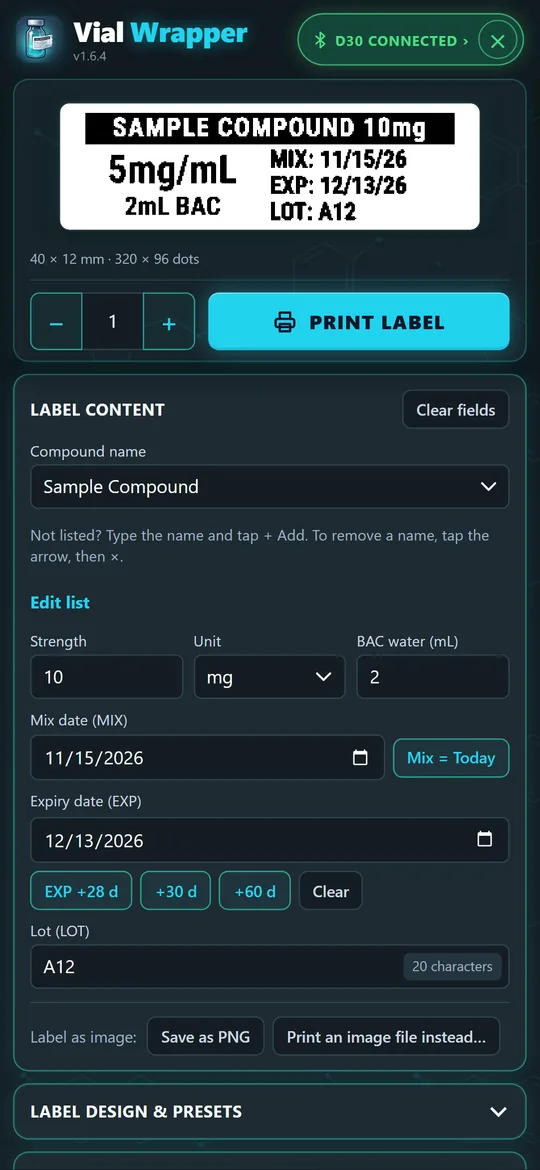
Type the details
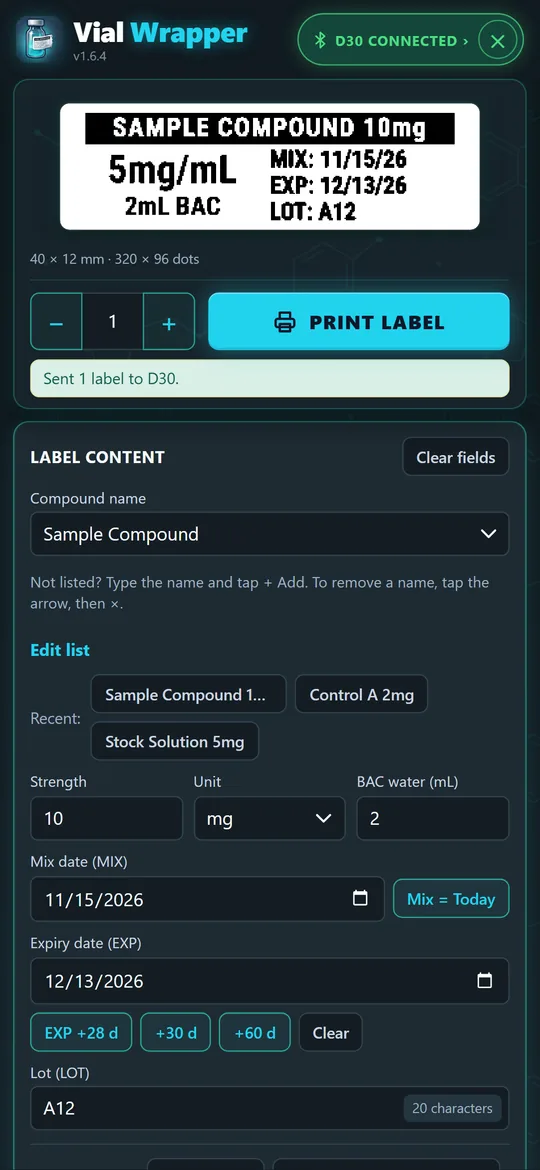
Pick a compound name from your list, add strength, BAC water, mix and expiry dates and a lot. The live label preview updates as you type.
Make it yours
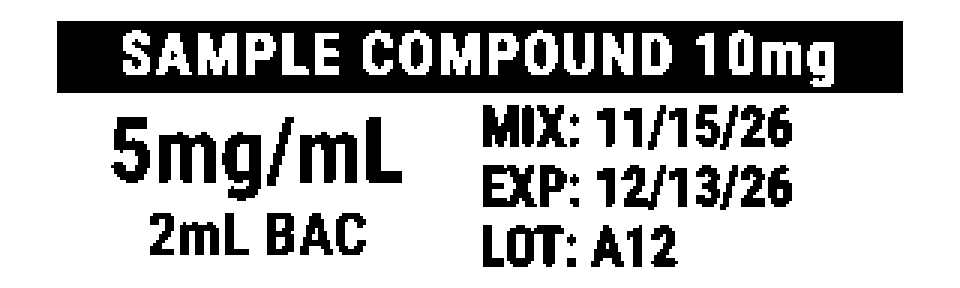
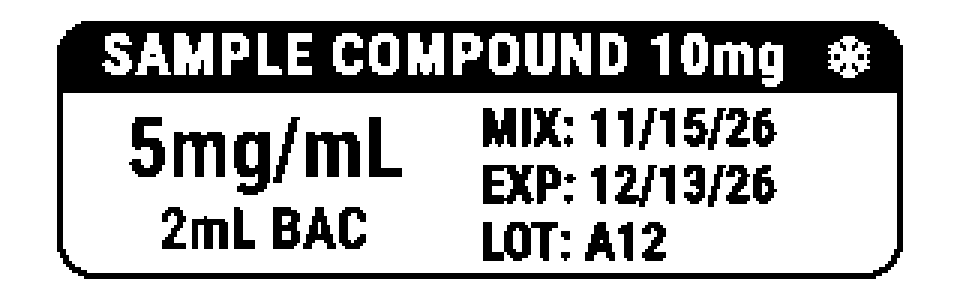
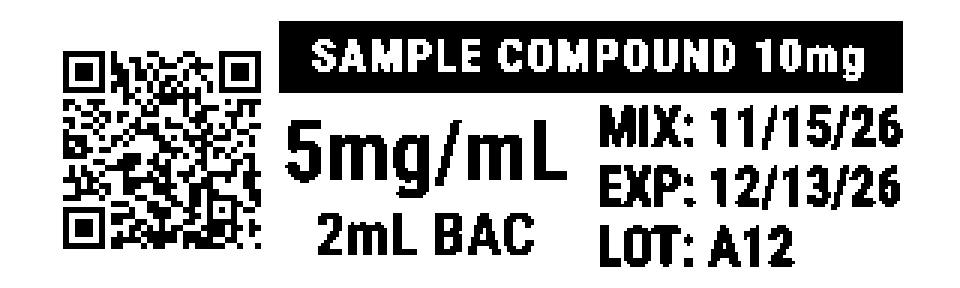
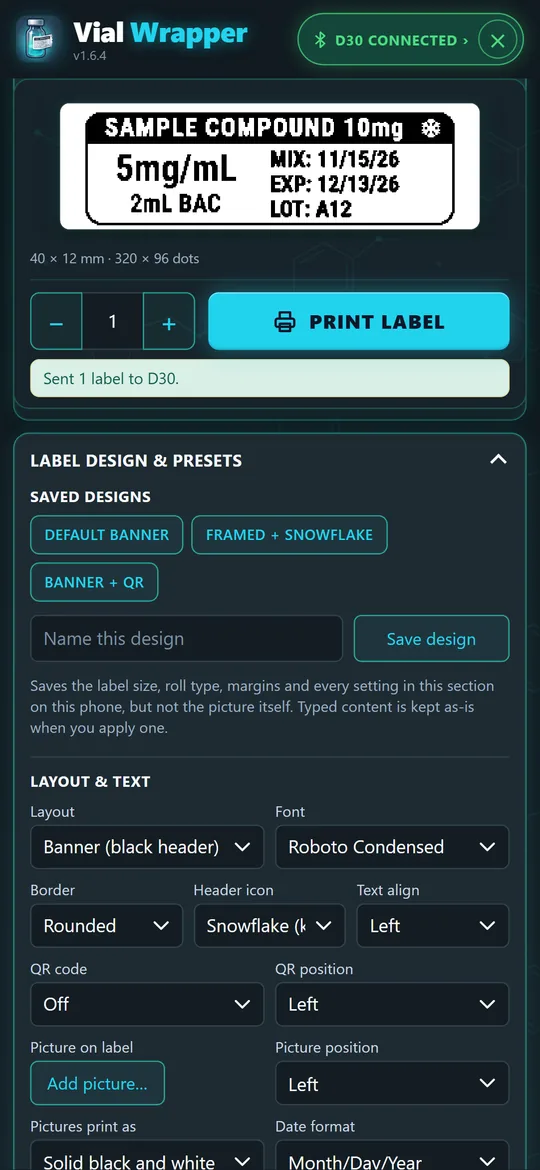
Choose a saved design, layout, font, border and header icon, add a QR code or a picture, and pick your label size.
Print over Bluetooth
Tap Print label. The app sends it to your D30 and checks that it printed, with clear warnings if the lid is open or the battery is low.
Features
Everything for a quick, tidy label
Small touches that make printing a label take seconds, not minutes.
Fast entry
- Live label preview that redraws as you type, with an enlarged view to check the detail
- Compound name list you can edit: add, remove or paste in your own names
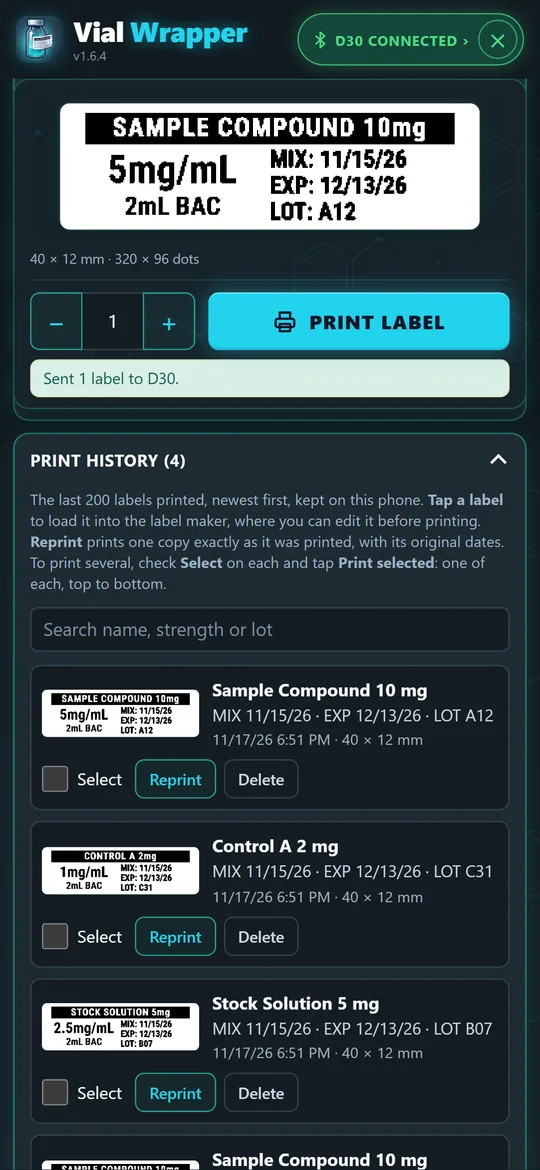
- Recent labels: one tap fills the name, strength and lot from a label you printed before
- Mix = Today and quick expiry buttons: +28, +30 or +60 days
- Clear fields with Undo, for when you start a new vial
Label design
- Saved designs: keep your favourite look and apply it with one tap
- Layouts, fonts, borders and header icons (snowflake for keep cold, syringe, vial, drop)
- QR codes with your own text
- A picture on the label, such as your logo, from your phone's photos
- Several label sizes, a custom size, and continuous tape
Printing
- Print history with a picture of each label, search, Reprint and Print selected
- Copies that wait for the printer to finish each label
- Printer details: battery, serial number and firmware, one tap away
- Warnings for lid open, print head too hot, low battery and an empty label
Yours, on your phone
- Works fully offline: no internet needed, ever
- Backup and restore your settings, designs, names and history to a file
- Save as PNG to keep or share a label as an image
- Left-handed mode moves the main controls to the left, nearest your thumb
How it works with the printer
Connect once, then just print
Vial Wrapper talks to the D30 directly over Bluetooth. No vendor app or account is needed.
- Turn on your D30Load a roll and close the lid.
- Tap Connect D30Allow Bluetooth access when Android asks, then pick your printer from the list. The app remembers it and reconnects next time.
- Tap Print labelThe label prints in a few seconds and is saved to your print history.
- Check the pill at the topIt shows the printer and its battery. Tap it for printer details.
Screenshots
See it in action
Shown with sample names. Your own compound list replaces them.
Privacy
Nothing leaves your phone
Vial Wrapper does not collect, send or share any information. Read the privacy policy.
FAQ
Questions
Which printers does it work with?
The Phomemo D30. Other printers and other Phomemo models are not supported.
Which phones can run it?
Android phones with Android 11 or newer and Bluetooth. It is developed and tested on Google Pixel phones; testers with other phones are especially welcome in the beta.
Is there an iPhone version?
No. Vial Wrapper is an Android app.
Does it need the internet?
No. The app has no internet access at all. It talks only to your printer, over Bluetooth.
Which label rolls can I use?
D30 label rolls, or generic thermal labels that fit the D30. Choose the matching size in the app (40 × 12 mm is the standard D30 size), enter a custom size, or use continuous tape.
Can I move my settings to a new phone?
Yes. Save backup writes your settings, saved designs, compound names and print history to a file in Downloads; Restore backup reads it back on the new phone.
Does it help with dosing?
No. Vial Wrapper only formats and prints labels. It gives no dosing, handling or medical advice; follow the labeling and guidance that came with your product.
Is it made by Phomemo?
No. Vial Wrapper is independent and is not affiliated with or endorsed by Phomemo.
Is it on Google Play?
Not yet; a Google Play release is planned. Until then you can join the beta below.
Beta
Help test Vial Wrapper
Vial Wrapper is in beta ahead of its Google Play release. If you have a Phomemo D30 and an Android phone, we would love your feedback.
- Early access to the app
- Install instructions, step by step
- A direct line for bugs and ideas
Tell us your phone model and Android version. Beta testers get a private download link.